
Get access to CSC resources#
Self guided access#
To get access to HPC resources at CSC you can start by:
Invited Access#
To start using CSC computational resources you need to accept beforehand a Project in My CSC by a Project administrator from your institution.
Start logging in to My CSC.
Keep in mind that to having access to a project you will receive a invitation from a Manager that has rights to create a project and assign resources. You have to accept the invitation clicking in the button Apply for a membership and then you will have access the computational resources.
This is how an invtation looks like.

Figure 1. My CSC - Project invitation#
Then, in My CSC go to Projects section and you will find the projects that you are currently working. A Project is virtual space that gives you access to CSC computational HPC resources (cPouta, Puhti, Allas, and others) and displays the credits you have to use mentioned resources named Billing Units. The Projects are followed by its registration number and its name looks like project_200xxxx.
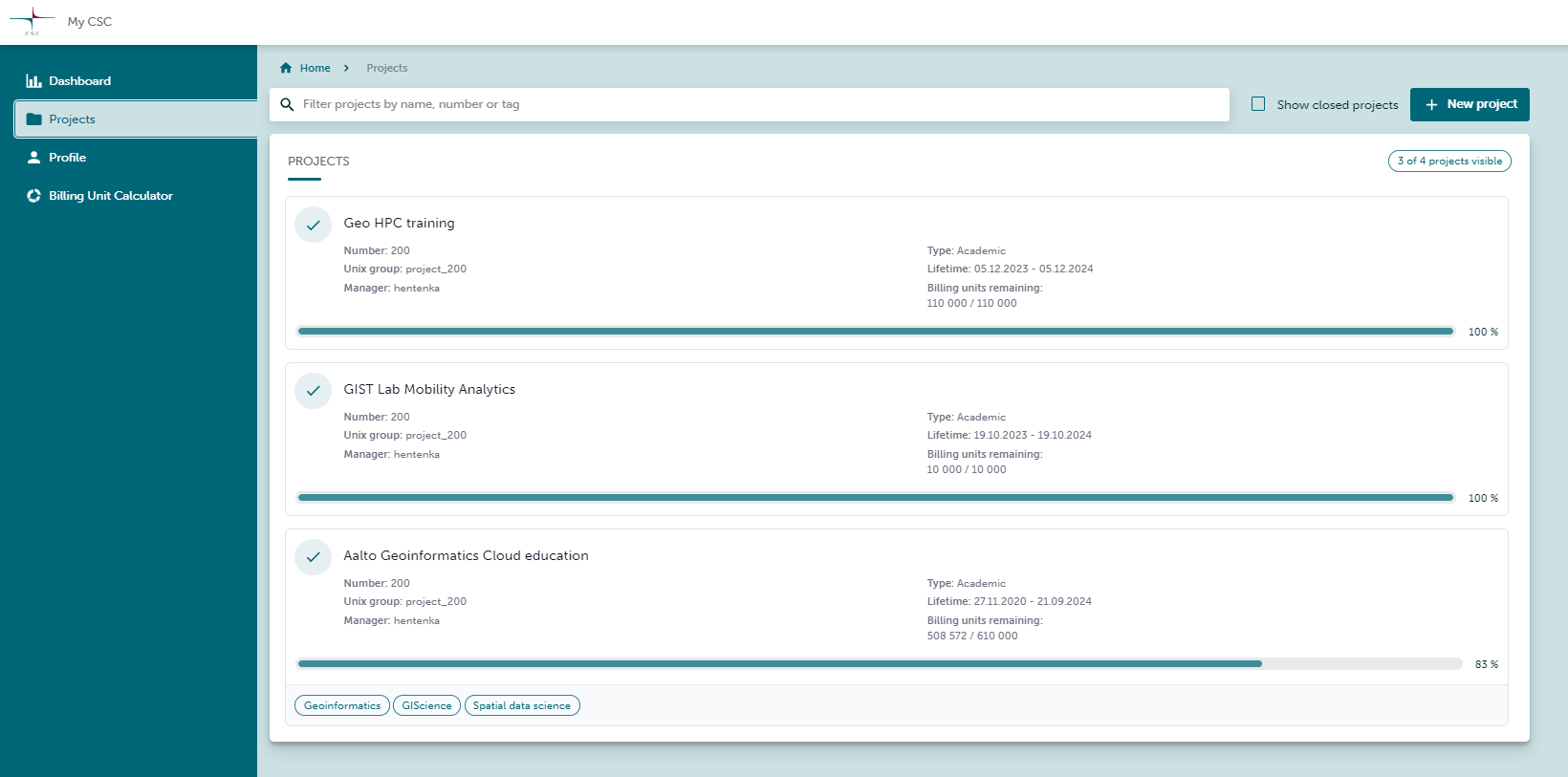
Figure 2. My CSC - Projects#
Open the project you want to use.
In the right side you will find the services that you can access. For example, the available resources in the next image are Allas and Puhti and they display a black switch. The other resources will be shown as unavailable and only Manager can grant access.
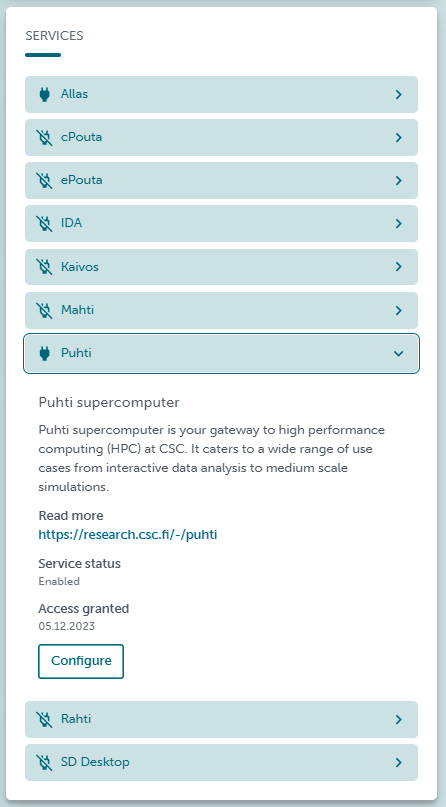
Figure 3. My CSC - Project services available#
Be sure that you have granted access to Puhti and Allas in your project. We will use them in the tutorials.